

iGram is a name commonly associated with third-party Instagram downloader tools that help users save publicly accessible photos, videos, Reels, and other social media content. People searching for igram, igram world, or igram.world often want to understand what the platform does, how to use it, and whether it is safe.
Unlike Instagram’s built-in features, iGram services operate independently and may offer a different way to save media through a web browser. However, several websites use similar names, which can make it difficult to identify the correct service.
In this guide, you’ll learn what iGram World is, how its downloading process works, which features users may find useful, and what precautions to take before using a third-party downloader.
What Is iGram and What Is iGram World? 🌐
iGram is generally known as an online Instagram media downloader. It is designed to help users save supported Instagram content by submitting a link to a public post rather than manually recording or screenshotting it.
iGram World refers to a service associated with the domain igram.world. Its advertised purpose is to make publicly accessible Instagram media easier to save on a device.
Depending on the service and its current functionality, supported content may include:
- Instagram Reels for offline viewing 📱
- Public Instagram videos in downloadable formats 🎬
- Photos and individual image posts 🖼️
- Carousel posts containing multiple images or videos 📚
- Other supported public media, depending on availability 🔎
It is important to understand that iGram is not an official Instagram or Meta product. It is a third-party service, and its features, availability, and operating conditions can change. PullVid+2
How Does iGram World Work? ⚙️
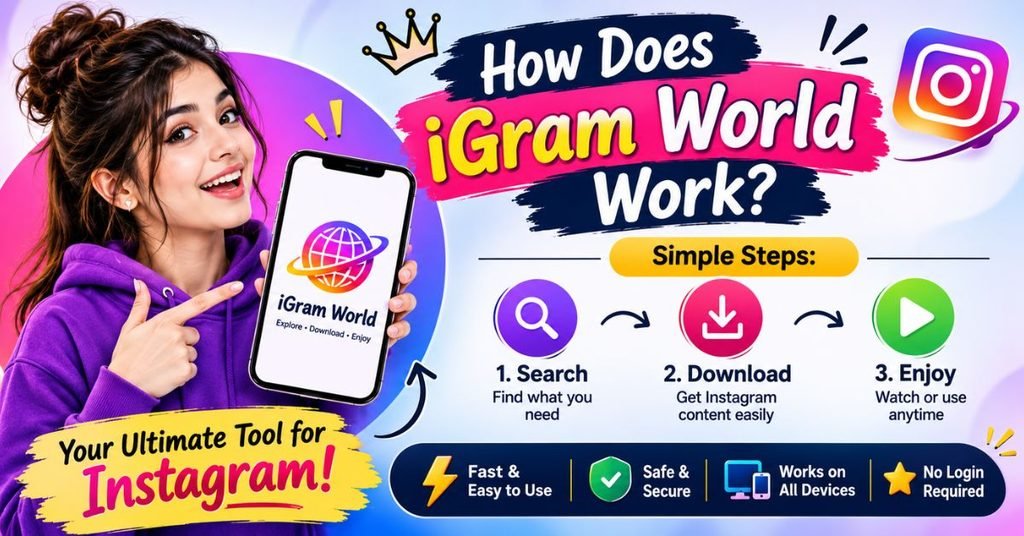
The basic idea behind iGram World is straightforward: users provide a link to an eligible Instagram post, and the downloader attempts to retrieve the available media.
You generally do not need advanced technical knowledge to understand this process.
Steps to Use iGram World
- Open Instagram and find the public photo, video, or Reel you want to save.
- Tap the share option associated with the post.
- Select the option to copy its link.
- Open the iGram website using your browser.
- Paste the copied Instagram URL into the download field.
- Select the available download option if the link is supported.
- Save the resulting file to your device if the download is successful.
The exact interface and available options may change as the service develops.
Important: A basic link-based downloader should not need your Instagram password. Never provide your login credentials, verification codes, or other sensitive account information to an unfamiliar downloader.
Main Features Associated With iGram World 📲
People look for igram.word because they want a convenient way to keep copies of social media content. The advertised features can vary between similarly named services, so it is worth checking what the particular website actually supports.
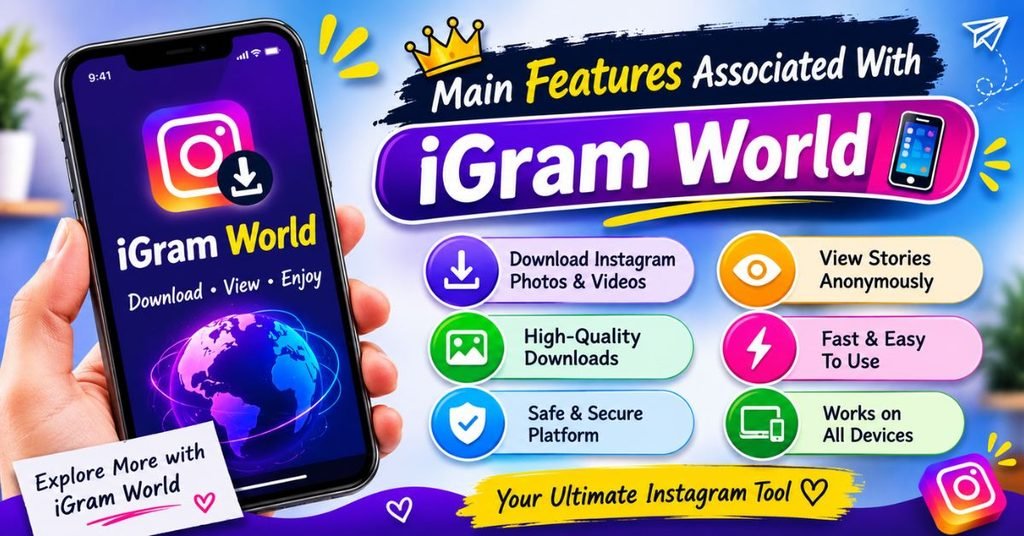
Here are some commonly associated features:
1. Instagram Reels Download
Reels are short-form videos that users frequently want to watch again or keep for personal reference. An iGram downloader may provide a way to save supported public Reels as save insta reels video files.
2. Photo Download
Some versions of iGram advertise photo downloading. Instead of taking a screenshot, users may be able to save an available image file.
3. Video Saving
Users can submit links to supported Instagram videos and check whether the service provides a downloadable file.
4. Carousel Downloads
Instagram carousel posts can contain several images or videos. Some downloader versions advertise the ability to process multiple items from a single post link.
5. Browser-Based Access
A browser-based service does not necessarily require a separate application. Users can visit the website through a compatible browser on a phone, tablet, or computer.
These are advertised capabilities rather than guarantees that every format or link will work. PullVid+2
iGram World Login: Do You Need an Account? 🔐
One common search is igram world login. However, users should understand the difference between accessing a downloader and signing into Instagram.
The standard link-based downloading process described by iGram does not require users to connect their Instagram accounts. You typically submit a public post URL instead.
Consider these points before accessing any similarly named website:
- Do not enter your Instagram password into a third-party downloader. 🔒
- Avoid websites requesting unnecessary account permissions. ⚠️
- Check the complete website address before submitting a link. 🔎
- Never share one-time verification codes with unknown services. 🛡️
- Use Instagram’s official app or website when you need to access your account. ✅
If a website displays a login requirement for a basic public-media download, stop and verify that you are using a legitimate service.
Is iGram Safe to Use? 🛡️
Safety is an important consideration when using any third-party Instagram downloader.
There is no reason to assume that every website using the iGram name has identical security practices. Different domains may have different owners, privacy policies, advertisements, and technical features.
There are also conflicting automated security assessments of igram.world. Some services report positive security indicators, while another security scanner has flagged the domain as potentially dangerous. These automated assessments are not definitive proof of safety or malicious activity. Straja+2
For a safer experience, follow these precautions:
- Verify the domain: Check the spelling carefully before opening a website. 🔍
- Avoid suspicious advertisements: Do not click unexpected pop-ups or fake download buttons. ⚠️
- Protect your credentials: Never share your Instagram login details with downloader websites. 🔐
- Check downloaded files: Use trusted security software to scan unexpected files. 🛡️
- Review privacy information: Understand what information a website collects before using it. 📄
An HTTPS connection is useful, but it does not automatically prove that a website is trustworthy.
iGram vs Instagram: What’s the Difference? 📊
Although their names are similar, iGram and Instagram serve different purposes. Instagram is a social networking platform, whereas iGram is associated with third-party media-downloading services.
| Feature | iGram | |
|---|---|---|
| Main purpose | Social networking | Media downloading |
| Account | Needed for many features | Not generally needed for basic downloads |
| Reels | Create and watch | Save supported public Reels |
| Photos | Share and view | Download supported images |
| Official Meta service | Yes | No |
The comparison describes their general purposes, not a guarantee that every iGram-branded different meaning on instagram chat website offers the same features.
Can You Use iGram on Android, iPhone, and PC? 💻
Device compatibility is another reason people search for iGram World.
A browser-based downloader can potentially work across different devices, provided the website supports the browser and the requested media format.
Android
Android users can access a compatible downloader through Chrome or another browser. If a download succeeds, the file will generally appear in the device’s Downloads folder.
iPhone
iPhone users can access websites through Safari. Downloaded files may be stored in the Files app, depending on the browser and download settings.
Windows and Mac
Desktop users can open a compatible browser, submit an eligible Instagram link, and save an available file to their computer.
The actual downloading experience depends on the website, browser permissions, device settings, and current Instagram restrictions. iGram Worlds+1
Common Problems When Using iGram and Their Solutions ⚠️
Sometimes a downloader does not process a link successfully. This does not necessarily mean that something is wrong with your device.
Here are a few possible reasons:
- Invalid link: Copy the complete URL directly from Instagram. 🔗
- Private account: A downloader may not have access to content restricted by privacy settings. 🔒
- Website errors: Try again later if the service is temporarily unavailable. ⏳
- Browser problems: Update your browser or try another trusted browser. 🌐
- Unavailable media: The original post may have been deleted or become inaccessible. 📁
- Fake download buttons: Avoid suspicious advertisements and unfamiliar file installers. ⚠️
Do not attempt to bypass private-account restrictions. Respect the original creator’s privacy and content rights.
Is Downloading Instagram Content Legal? ⚖️
The legality of downloading social media content depends on your location, the material involved, and how you intend to use it.
Saving a publicly available image for personal reference is different from publishing someone else’s copyrighted video on your own account.
Keep these guidelines in mind:
- Get permission before reposting another creator’s copyrighted work. ✅
- Give appropriate credit when required, but remember that credit does not replace permission. 📝
- Do not use downloaded content for commercial purposes without the necessary rights. ⚖️
- Respect Instagram’s terms and applicable copyright laws. 📚
Using a third-party downloader does not automatically give you ownership of the downloaded content.
Frequently Asked Questions About iGram ❓
1. What is iGram used for?
iGram is associated with third-party Instagram downloader tools that help users save supported public photos, videos, Reels, and other media.
2. What is iGram World?
iGram World is a browser-based service associated with Instagram media downloading. Users can submit eligible Instagram links to check for available downloads.
3. Is iGram World login required?
A separate Instagram login is generally not required for basic link-based downloading. Avoid entering your Instagram password on third-party websites.
4. Can iGram download Instagram Reels?
Some iGram services advertise Reel downloading. However, successful downloads depend on content accessibility and the service’s current capabilities.
5. Does iGram work on iPhone and Android?
Browser-based iGram services may work on both platforms. The download process and file storage location depend on your device and browser.
6. Can iGram download private Instagram posts?
You should not expect iGram to access private posts. Respect account privacy settings and never use tools claiming to bypass another person’s privacy.
7. Is iGram an official Instagram application?
No. iGram is associated with independent third-party services and should not be confused with Instagram or Meta.
8. Is iGram free?
Some iGram services advertise free downloading. However, pricing, advertisements, premium options, and usage restrictions can differ between websites.
Remarks on iGram in 2026 🎯
iGram is a name worth understanding if you are looking for ways to save publicly accessible Instagram content. Its associated services advertise features for downloading photos, videos, Reels, and other supported media through a browser.
Before using iGram World, verify the website address, understand its limitations, and protect your personal information. Remember that downloading content does not give you permission to redistribute copyrighted material.
Use third-party services responsibly, respect content creators, and rely on verified information rather than unrealistic promises. Bookmark this guide if you want a helpful reference when exploring iGram and similar Instagram tools.

1 thought on “What Is iGram World, How It Works, and How to Use It Safely”